Please find below release notes and details of features, enhancements and fixes made to the Evonex platform and Evonex Connect over the last few months.
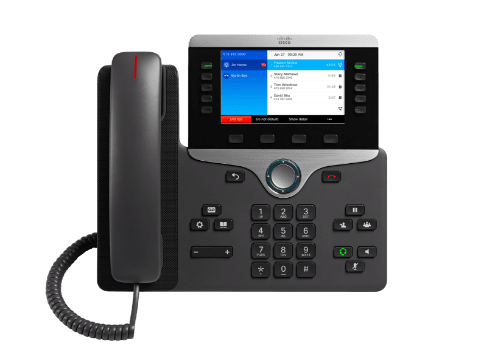
CTI control of your desk phone from your Evonex Connect client on browser, Windows or macOS (Limited functionality in this initial release – please see the user guide or more details).
Call Feedback
Provide feedback on a call that has just finished via a pop-up banner, or any previous call via a button in your history (your customers are encouraged to continue to report problems to you).
Call History detail shows the caller ID presented
Your call history detail now shows the caller ID that was presented when you made outgoing calls, if it was anything other than your default caller ID.
New authentication service pages
The login and 2FA screens have been updated across the platform, including within Evonex Connect. Users can now reset their own 2FA accounts if they have stored their recovery codes.
Dialpad key tones can now be disabled
It is now possible to disable Dialpad key tones if you’d prefer not to hear the tones when dialling.
Fixes
This release also includes a host of bug fixes and performance enhancements. The full release notes for Evonex Connect v1.6.0 for all platforms are available here: https://info.telephony-cloud.com/evonex-connect/latest.
Portal
New Features
Three new wallboards (available in addition to the existing wallboards to those customers subscribing to the wallboard licence)
New ‘Missed Unreturned’ wallboard
New ‘Active Calls’ wallboard
New ‘User Activity’ wallboard
Add support for new Wallboard options in Account Maintenance > Miscellaneous (RA Settings cog)
Reseller admins can now control some additional wallboard settings on behalf of their customer accounts:
Agent Mode – must be enabled if reporting on Universal licence users – counts all calls at the device, not just direct calls.
Show ‘All CLIs’ – for reports that show a tabular view of users ranked by call volumes, this setting controls whether the reporting group’s users are shown only when they have handled a call (default) or if all members are shown regardless.
Link Expiry (days) – the number of days that that the wallboard URL will be valid for. During this time, the URL can be re-used/re-launched, after that the URL is invalid. However, once running, the Wallboard will run in the browser until it is re-loaded. Extend or reduce this time from the default of 14 days.
Please see attached Wallboard docs (one version for resellers and one for customers).
Allow Customer Admins to reset 2FA via portal
Allow a CA to reset their user’s 2FA. The ‘Reset 2FA’ button will appear in User Maintenance. This feature is disabled by default and must be requested via a support ticket. Availability of the feature is at the discretion of the MyPhones team.
Full details of the changes to wallboards are available in the document. Please note, only the customer admin version is intended for distribution to end customers.
Remove the ‘Remove deleted numbers’ button from device maintenance if the device is a multi-port device
We now no longer allow deleted numbers/subscriptions to be automatically removed from device ports. This has the effect of preventing other numbers/subscriptions shuffling up to fill in the empty ports (as would happen on a desk phone with more than one number).
This only applies to ‘multi-port’ managed devices such as the Grandstream GXW4224v2 & GXW4248v2 ATAs and Yealink W80DM and W90DM multi-cell DECT solutions. New subscriptions can be added to any previously unused ports by placing a follow-on order. To add new subscriptions to previously used ports, please log a support ticket. In a future release we will allow subscriptions to be added to specific ports you select during the ordering process.
Security Improvement – change SIP creds on re-ordered or re-graded subscriptions
We now ensure that a subscription’s SIP credentials are always renewed whether the subscription has been upgraded, or ceased and re-ordered.
Copy Call Limit values from Reseller to sub-reseller at the point of sub-reseller creation
Ensure that a sub-reseller inherits the call limit settings of their top-level reseller upon creation.
Request to permit non-standard mac addresses for specific product type
Yealink expansion modules having non-standard MAC addresses.
Company Admin
Minor change to ‘Manage presentation number’ portal page wording
Show ‘This DDI’ as the default selected option in the drop-down list.
Default phone – move phone to another user means the ‘losing’ user no longer has a default phone even if they still own more than one number
Ensure that a user always has a default phone in all possible scenarios. This facilitates many aspects of the platform; recordings, CTI services and wallboards.
Support filter option “Numbers on Time-based Routing”
New filter option on the Call Management Planner within Scheduling.
Barring CAT1 numbers prevents adding similar extension numbers as BLFs
Fix an issue where some Cat 1 prefixes would prevent numbers that were similar to those being used as short codes.
Extend Public Holidays in Schedules into the future
The next two years Public Holiday are now available again.
Miscellaneous
Remove divert-to number completely from “Block Anon Calls” panel
Security enhancement.
Default Appliance not set for CA when new order / new customer order contains standard / universal subscription and a device
Ensure that a customer admin always has a default phone in all possible scenarios. This facilitates many aspects of the platform; recordings, CTI services and wallboards.
Platform
New Features
Barge, Monitor. Whisper support for Evonex Connect
Evonex Connect softphone now supports Barge, Monitor, Whisper with the same service codes (*86*xxx) as handsets.
Lite licences can now dial 101 and 111
Lite licences (AKA Room/Classroom) can now dial Police non-emergency 101 and NHS 111 services, as well as selected other non-emergency and free-to-call numbers. Emergency 999 & 112 have always been dialable.
Bug Fixes
Attended Transfer bug fix
Fix bug with attended transfers where Evonex Connect is the party being transferred.
Fix unparking issue
Specifically, Evonex Connect and SBC related calls.
Fix Night Mode issue
BLF key turning red when Night Mode not active.
Call pickup via Cisco phone cannot then be parked, only affects universals.
Fix an issue where a Cisco phone on a Universal licence cannot park a call which they answered via group pickup.
Fix some outbound PSTN calls via SBC dropping after 30 seconds
In certain circumstances, calls would drop at 30 seconds. This issue is now fixed.
MoH bleed-through
Multiple issues identified and fixed.
BLFs not updating after park / unpark
Fix and issue where Unpark BLF keys would not consistently change colour based on the state of the associated Park Bay.
Fix issue overflowing to an AA when calling from EC
If calling from Evonex Connect to a number on a different Evonex Account which diverted to an Auto Attendant, the call would not divert. This is now resolved.
Allow calls to a hunt group to be parked & unparked
An issue was identified and fixed that prevented a call to hunt group licence on another Evonex Account from being Parked and Unparked successfully.
Fix issue with international number flexibility and auto attendants
The Country code associated with the account was incorrectly being added to selected Auto Attendant targets.
Fix to reduce the chance of crosstalk from occurring.
We received a report of crosstalk. The issue was identified and a fix applied to prevent this scenario from occurring again.
Fix several audio issues including group pickup.
Group pickup may fail (Evonex Connect) or have no audio (Deskphone) if call has routed via an Auto Attendant.
Fix bug with time-based routing affecting holiday periods.
An issue was identified after the first May bank holiday that could prevent public holiday periods from functioning as expected. A fix was applied and released before the second May bank holiday.
New Ordering Process – Help
The new ordering process has been live since September 2023. It’s no-longer a beta product and consequently has been promoted to the only way to place orders for new and existing customers.
For anyone who requires assistance with using the new order journey, you can access the help section by clicking the button at the top right of the portal page. In here you’ll find a video guide
We have brought SCG Cloud Ltd, NSN and Hello Telecom under one brand as SCG Together to give our Customers and Partners a supercharged service provider that is so much more than the sum of its parts. Coming together as SCG also connects directly to our parent company Southern Communications Group, which has been bringing people and technology together since 1965.
SCG Together will continue to focus first on people and then on aligning the best communications technologies available to deliver real and meaningful value. In our mission to support and optimise businesses across the UK, we are committed to delivering on the promise of the Cloud and ensuring you are More Connected than ever before.
SCG Cloud Limited t/a SCG Together
Registered Address:
SCG Cloud Limited t/a SCG Together
Glebe Farm,
Down Street,
Dummer,
Basingstoke,
England
RG25 2AD
Company No: 03843488
New Star Networks Ltd t/a SCG Together
Registered Address: Glebe Farm, Down Street, Dummer, Basingstoke, RG25 2AD
Company No: 07143368
Hello Telecom (UK) Ltd t/a SCG Together
Registered Address: Glebe Farm, Down Street, Dummer, Basingstoke, RG25 2AD